Yamaha Playlist Manager v1.0.16
Windows 10/11 · macOS Monterey or later · Free to download and use
About
Registration playlist organizer for Yamaha Genos and PSR-SX series keyboards
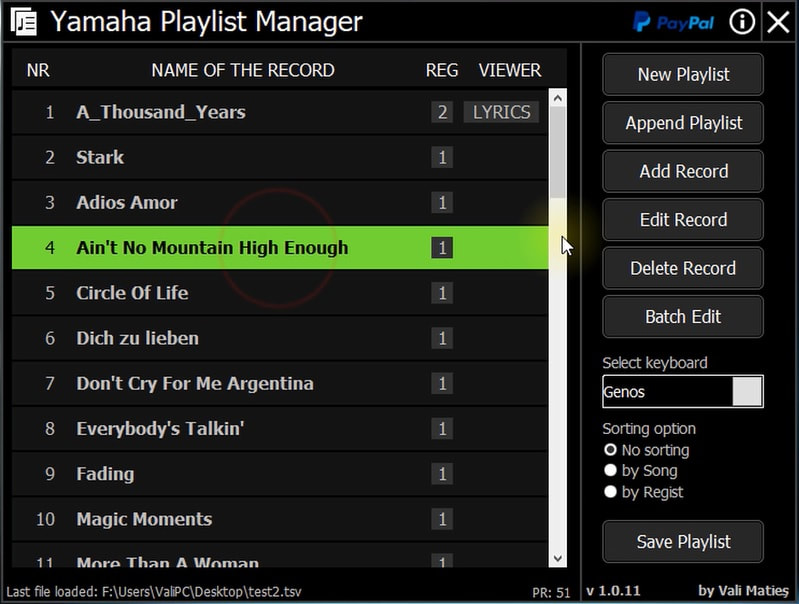
Yamaha Playlist Manager (formerly Genos Playlist Worker) lets you organize and manage registration playlists for Yamaha keyboards from your PC. Import songs alphabetically, reorder entries, batch-edit record paths, and configure display options — all without touching the keyboard itself. Available for both Windows and macOS.
Flexible Import
Import playlist records alphabetically (A-Z) or in bulk from your PC with automatic registration bank selection.
Full Edit Control
Manually add, delete, and edit individual playlist entries including registration bank assignments.
Sort & Reorder
Sort playlists by song name or registration bank filename to keep everything organized.
Batch Edit
Update record paths and settings across multiple entries at once — saves hours of manual editing.
Display Options
Toggle auto-load registration numbers and lyrics/score/text display options per record.
macOS Support
Available for both Windows and macOS (Monterey 12+, Sequoia, and Tahoe 26.0 tested).
System Requirements
- Windows 10 or Windows 11 (64-bit) — requires Java Runtime Environment (JRE) 1.8 or later
- macOS Monterey 12.0 or later (Sequoia and Tahoe 26.0 tested)
- Yamaha Genos, Genos2, or PSR-SX series keyboard
xattr -dr com.apple.quarantine /Applications/YamahaPlaylistManager.app